Please note the below tutorial is done via the cPanel interface and may look different to those users migrating from KonsoleH and Plesk environment, it is best advised to consult your website developer before attempting any form of manual migrations.
The steps for manual migration is as follows:
1.1.) Access the cPanel environment with the previous host
- Under the File section select "File Manager":
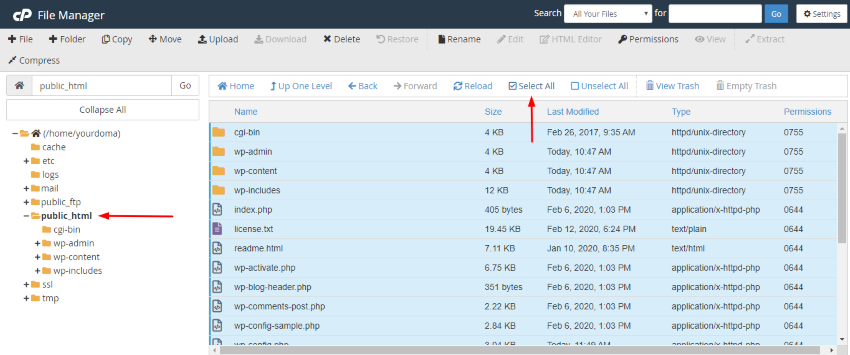
- Find and select "public_html"
- Choose the "Select All" option at the top of your screen
1.2) Zip the files
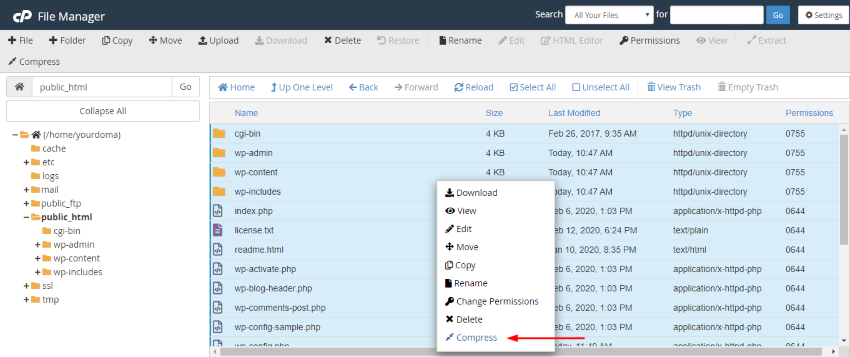
- Right-click while hovering over the files and select "Compress"
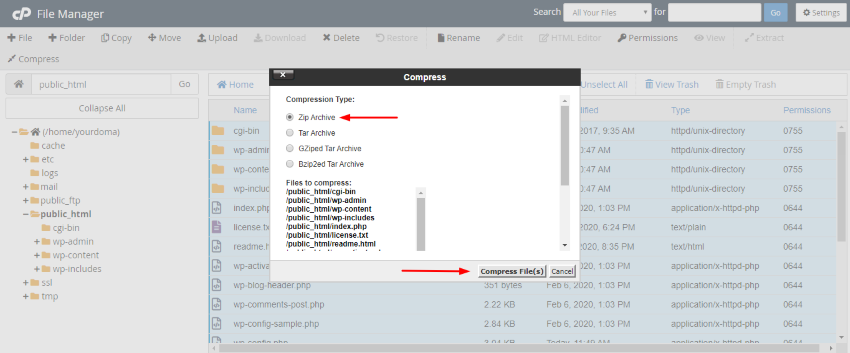
1.3.) Specify type of compression
- Choose "Zip Archive" and proceed to "Compress Files"
- Lastly, select "Close"
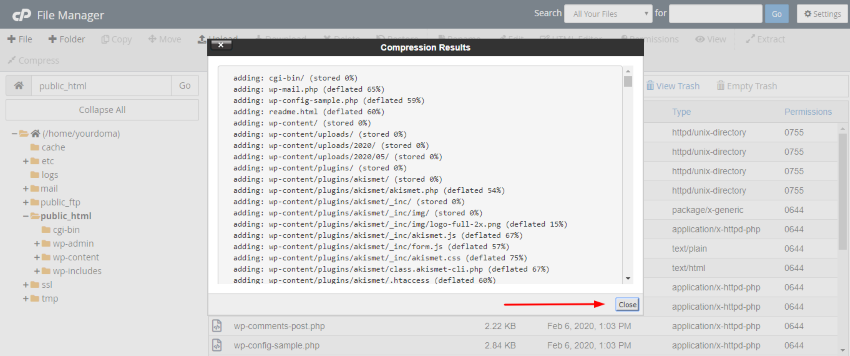
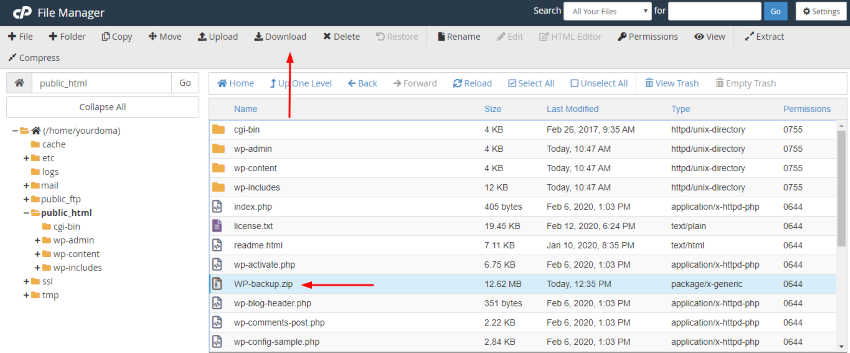
1.4.) Download the compressed file
- Select the zip file and then click "Download" at the top of your screen.